

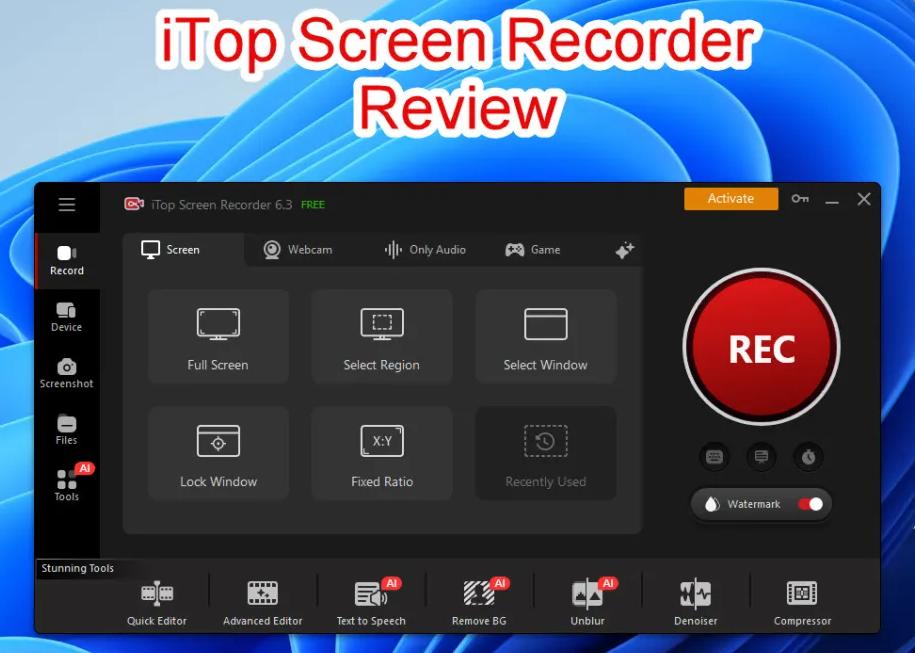
iTop Screen Recorder is what happens when someone actually listened to every complaint people have ever had about free screen recording software and built something that addresses all of them at once.
Why Do Free Recorders Keep Disappointing People?
The cycle is familiar to anyone who has tried more than one free recorder. Download it. Use it twice. Notice the watermark is enormous. Uninstall it. Try the next one.
Performance tanks the moment recording starts. Uninstall again. The third one seems fine until it crashes mid session and the footage is gone.
None of this is accidental. A lot of free tools are designed with deliberate limitations to push users toward paid plans. iTop takes a different approach the free version is genuinely built to be useful rather than frustrating.
The Performance Difference Is Immediate
The first thing most people notice when switching to iTop is that their computer does not slow down during recording. This comes down to GPU acceleration.
Most free recorders dump the entire recording workload onto the CPU which competes directly with everything else running including the game, the application, or the browser being recorded.
iTop moves that workload to the GPU entirely. The result is smooth recording and a computer that keeps performing normally throughout.
For gamers this is the difference between a tool they actually use and one that gets uninstalled after two sessions.
Audio That Does Not Need Fixing After Recording
Bad audio is the quiet killer of otherwise good recordings. The video looks fine. The explanation is clear. But the microphone sounds hollow, or keyboard clicks bleed through constantly, or system audio is completely missing.
iTop captures microphone input and system audio simultaneously without interference or imbalance. Built in noise cancellation handles background sounds before they reach the output.
The result is audio that sounds clean from the first recording without spending time adjusting settings that most people do not fully understand anyway.This screen recorder handles all of it without the usual trade offs.
Webcam Overlay That Actually Adds Something
A face on screen changes how recorded content lands. Tutorial videos with a visible instructor feel like being shown something. The same content without a face feels like reading documentation someone left behind.
iTop supports webcam overlay with adjustable size and position. You decide where it sits so it adds context without covering anything that matters on screen. Small control that makes a significant difference in how finished the recording feels.
One Tool From Recording to Sharing
Most free recorders stop at capturing. Everything after that trimming the awkward start, cutting a section, cleaning up the ending requires opening something else entirely.
iTop includes a built in editor that handles all of this before export. Finish recording, make the cuts, share the file. One application, one workflow, no unnecessary steps in between.
Frequently Asked Questions
Is iTop Screen Recorder free without any expiry?
Yes, the free version works indefinitely with no time limit on core features.
Does it run on Mac?
No, iTop Screen Recorder is currently available for Windows only.
Can it record gameplay without frame drops?
Yes, GPU acceleration keeps game performance completely unaffected during recording.
Does the free version have a watermark?
Yes, upgrading to premium removes it from all exported videos.
